Virtual Try-On for Jewellery: How It Actually Works
By the ORA Lab team · Updated 9 August 2026 · 9 min read
Key takeaways
- Virtual try-on lets a shopper see a specific piece of jewellery on a person, themselves or a model, before it's ever worn, generated from a product photo.
- Jewellery is the hardest try-on category: pieces are small, anchor to precise anatomical points, and are made of materials that visibly reflect their surroundings.
- The pipeline has three stages: landmark detection (finding the earlobe, wrist, clavicle, finger base), scale-true placement and warping, then material-aware compositing that matches lighting and skin.
- The commercial effect is fewer surprises: buyers who see accurate scale and look on a body return fewer items, size and 'looks different than expected' drive most jewellery returns.
- Photo-based try-on is production-ready in 2026; live AR try-on at jewellery fidelity is still a compromise, and ring sizing remains a physical problem no renderer solves.
Every jeweller has watched a customer do the same thing: hold a piece up near their face, look in the mirror, tilt their head. Nobody buys jewellery in the abstract. The entire purchase decision is 'how does this look on?', which is precisely the question e-commerce has historically been unable to answer. A necklace photographed flat on velvet tells you what it is. It doesn't tell you what it does at your neckline, at your scale, with your skin.
Virtual try-on exists to close that gap, and after years of demos that over-promised, the photo-based version of the technology is genuinely production-ready. This article explains how it works underneath, not marketing-deck 'AI magic', but the actual pipeline, plus where it delivers commercially and where it still falls short. It draws on our own try-on research at ORA, so where there are limits, we'll name them.
What virtual try-on means (and the two kinds)
Virtual try-on generates an image of a specific product being worn, by a model, or by the shopper themselves from an uploaded photo. Two implementations dominate. Live AR try-on renders the product over a camera feed in real time: fun, fast, and constrained to lower fidelity because everything must happen in milliseconds on a phone. Photo-based try-on takes seconds instead, works from a still image, and can afford real generative quality, accurate materials, correct light, convincing integration. For jewellery, where the product is precisely the thing that must look exquisite, photo-based is where the commercial value currently lives.
Why jewellery is the hardest try-on category
- Scale is unforgiving: a 45cm chain and a 50cm chain sit visibly differently; an 8mm stud versus a 10mm reads instantly. There's no fabric drape to hide behind.
- Anchoring is anatomical: an earring hangs from a specific point on the lobe, a pendant sits at a specific depth against the clavicle, a ring stops at the knuckle. Millimetres matter.
- Materials broadcast their environment: polished metal and faceted stones reflect the scene around them, composite a gold hoop onto a portrait without re-lighting it, and it looks pasted on because, optically, it is.
- Occlusion is constant: hair falls over earrings, collars cross necklaces, fingers overlap rings. The system has to know what's in front of what.
Clothing try-on, by comparison, is mostly a deformation problem, warp fabric to a body. Jewellery try-on is a precision-placement and light-transport problem, which is why tools that do passable apparel try-on often produce jewellery that floats near an ear rather than hanging from it.
The pipeline: three stages
Stage 1, Landmark detection
The system first maps the anatomy in the target photo: dedicated landmark models locate the anchor points jewellery cares about, earlobe centre and lobe edge, the hollow of the clavicle, wrist joint, each finger's base and knuckle line. Generic face/pose detectors don't resolve these finely enough; this is specialist work, trained specifically for the points where jewellery attaches. Get the earlobe wrong by four millimetres and no amount of rendering quality saves the result.
Stage 2, Scale solving and placement
Next, the product's real-world dimensions are reconciled with the photo's scale. The system estimates the subject's anatomical scale from the landmarks (interpupillary distance, hand width, neck circumference proxies), then places the piece at true size, a 42mm hoop renders as a 42mm hoop on this person, not 'hoop-sized'. Warping follows: a chain conforms to the neckline's curve, a ring's band wraps the finger's cylinder, drop earrings hang plumb with gravity regardless of head tilt.
Stage 3, Material-aware compositing
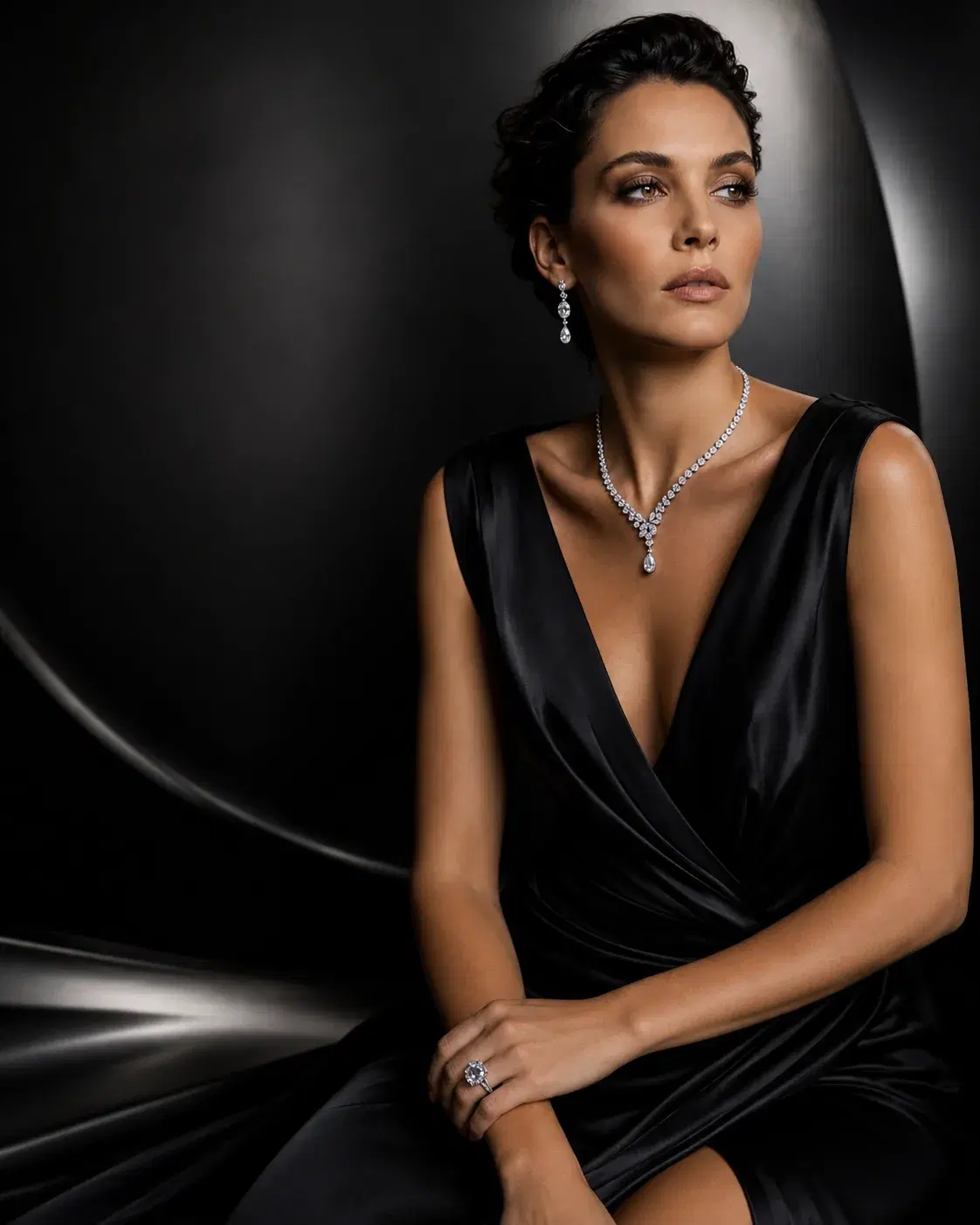
The final stage is what separates convincing try-on from clipart. The piece must be re-lit to match the photo: highlight direction consistent with the scene's key light, metal picking up skin tones and ambient colour, stones refracting plausibly, and a soft contact shadow where the piece meets skin. Modern systems do this with material-aware generative inpainting, the piece's geometry and identity stay fixed (the same fidelity constraint that governs all commerce imagery) while its shading is regenerated for the target environment. Occlusion is handled here too: strands of hair rendered back in front of the earring, collar edges over the chain.
What it does commercially
The mechanism is simple: try-on removes surprises, and surprises drive returns. 'Looked bigger on the site.' 'Sits differently than I expected.' 'Doesn't suit me.' Every one of those is a customer who bought with insufficient information. Retailers integrating accurate try-on into product pages consistently report the same pattern, better conversion among engaged shoppers and fewer size-and-appearance returns, because the buyer has effectively already worn the piece. For made-to-order and high-value pieces, there's a second effect: confidence to purchase without a showroom visit at all, which widens the geographic market a single boutique can serve.
There's also a quieter use inside brands: try-on as merchandising. Rendering a collection on diverse models, different skin tones, ages, necklines, used to require booking that diversity into a shoot. Now it's a generation parameter, and campaigns can actually look like the customer base. Our jewellery photography guide covers this on-model generation side in full.
Honest limits in 2026
- Live AR at jewellery fidelity isn't there yet: real-time rendering still can't do faceted-stone refraction convincingly on a phone, which is why AR jewellery demos look like games while photo-based output looks like photography.
- Ring sizing is physical: try-on shows how a ring looks, not whether size 12 fits. No renderer replaces a sizing guide.
- Extreme close-ups stress the system: a try-on image is a portrait, not a macro shot, for a full-frame stone detail you still want dedicated product imagery.
- Customer-photo quality varies wildly: dim bathroom selfies limit what compositing can do. Good implementations guide the shopper toward usable input photos.
Evaluating a try-on feature: what to check
- 1.Anchoring: does the earring hang from the lobe or hover beside it? Zoom in.
- 2.Scale honesty: render two sizes of the same piece, if a 40mm and 50mm hoop look identical, the system is decorating, not measuring.
- 3.Lighting integration: is the metal's highlight direction consistent with the photo's light? Paste-on artefacts show here first.
- 4.Occlusion: test with hair down and with a collared shirt.
- 5.Product fidelity: the piece in the try-on must be your SKU exactly, run the same checks as for any AI product image.
The deeper technical story, landmark models, deformation fields, identity-preserving generation, lives on our research page. And if you'd rather judge results than architecture, : bring a piece and a portrait, and watch where the earring hangs.
Frequently asked questions
- How does virtual jewelry try-on work?
- In three stages: landmark detection locates anatomical anchor points (earlobe, clavicle, wrist, finger base) in the target photo; scale solving places the piece at its true real-world size and warps it to the body's geometry; and material-aware compositing re-lights the piece to match the scene, adds contact shadows, and handles occlusion like hair over earrings.
- Does virtual try-on actually reduce returns?
- Retailers using accurate try-on consistently report fewer size-and-appearance returns, because the two biggest jewellery return reasons, 'looks different than expected' and scale surprises, are answered before purchase. The effect depends on the try-on being scale-true; decorative try-on that ignores real dimensions doesn't help.
- Can customers try on jewellery using their own photo?
- Yes, photo-based try-on works from an uploaded portrait. Output quality tracks input quality, so good implementations guide users toward well-lit, front-facing photos.
- What's the difference between AR try-on and photo-based try-on?
- AR renders over a live camera feed in real time, which forces lower fidelity, real-time faceted-stone refraction isn't solvable on phones yet. Photo-based try-on takes a few seconds and produces photographic quality. For jewellery, where material beauty is the product, photo-based is the commercially useful version in 2026.
- Can try-on tell customers their ring size?
- No. Try-on shows appearance, how a piece looks at true scale on a hand, but physical fit is a measurement problem. Pair try-on with a conventional sizing guide.